Finn Rawlings (Frinky)

How to wipe your Transience save
Wiping your Transience save files solves LowLevelFatalError launch issue. Also allows you to restart from complete scratch.
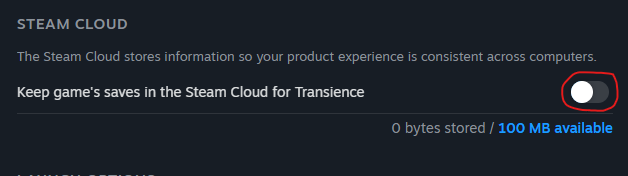
Step 1: Disable Steam Cloud for Transience.
- Locate Transience in your Steam library.
- Right click > Properties
- Disable Steam Cloud
Step 2: Delete AppData/Local/HyperAware/Saved folder
- Press Win + R and type "AppData"
- Open the "Local" folder.
- Locate and open the "HyperAware" folder.
- Delete the "Saved" folder.
Step 3: Boot the game
- Reboot the game and you should find yourself at the startup process again.
Step 4 (Optional): Re-enable Steam Cloud
- Only do this after you've reopened the game and closed it again.